

Less in the window. Don't pay for it twice.
ThinWindow keeps Claude Code's context window thin from the first prompt to the next morning. It trims oversized reads and logs while you work, shows what every request carries, and when you come back to an expired session, offers a fresh start from a short brief instead of paying for the old context again.
Listed in the official Claude Code plugin directory.
Install · What it does · Where it works · Privacy · Docs site
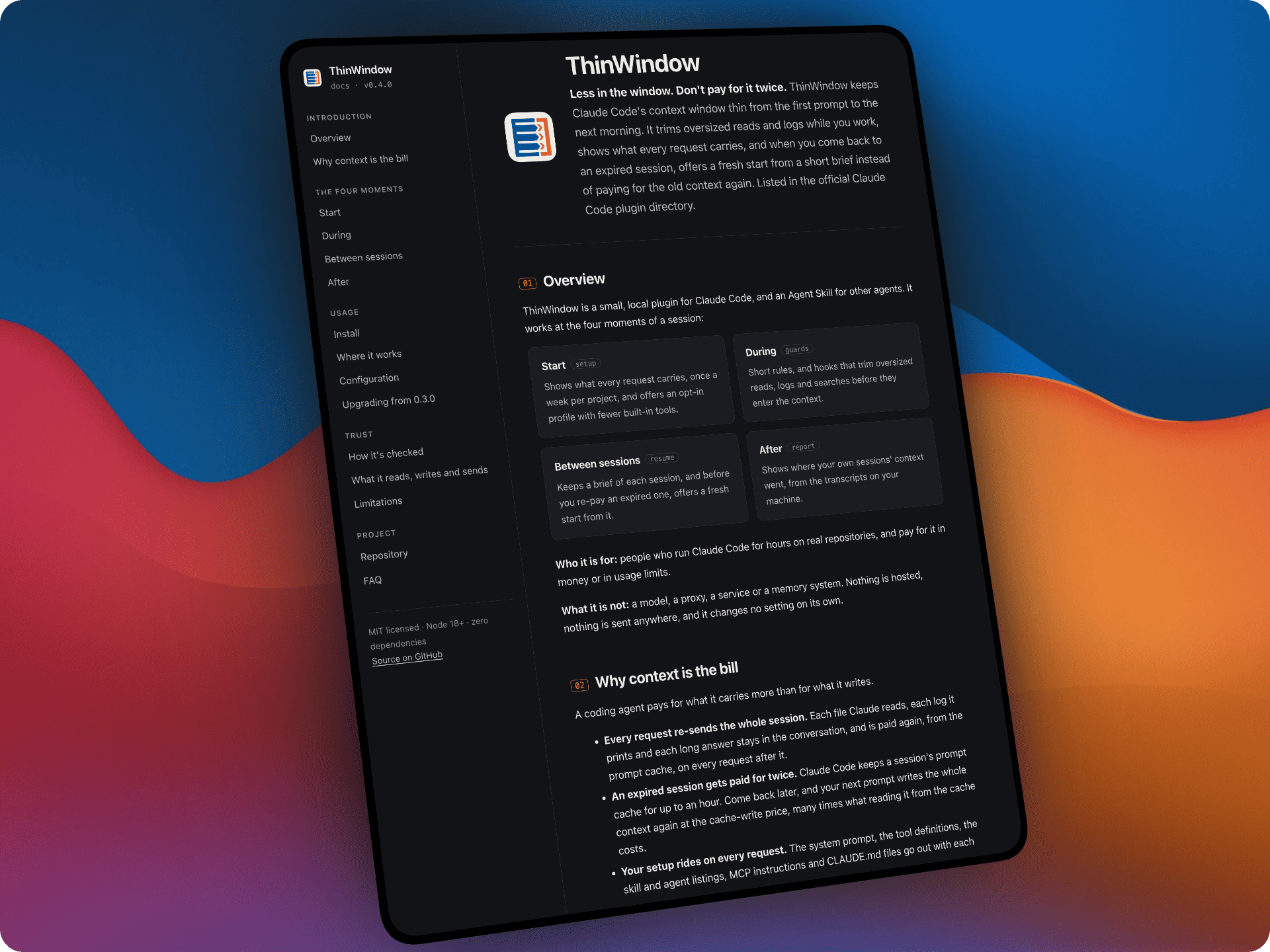
A coding agent pays for what it carries more than for what it writes.
- Every request re-sends the whole session. Each file Claude reads, each log it prints and each long answer stays in the conversation, and is paid again, from the prompt cache, on every request after it.
- An expired session gets paid for twice. Claude Code keeps a session's prompt cache for up to an hour. Come back later, and your next prompt writes the whole context again at the cache-write price, many times what reading it from the cache costs.
- Your setup rides on every request. The system prompt, the tool definitions, the skill and agent listings, MCP instructions and CLAUDE.md files go out with each one.
ThinWindow works on all three, at the four moments of a session.
The setup-cost notice. Once a week per project, when a session's first request is 40k tokens or more, ThinWindow shows you one line: what every request in that session starts at, and its largest parts. Example:
ThinWindow: each request in this session starts at 54k tokens (skill listing 5.3k, deferred tools 2.5k, MCP instructions 1.6k). Run /context to see what you could turn off.
It's shown to you and never sent to Claude. In the desktop app it appears as a collapsed "Claude Code notice".
thinwindow-minimal, an opt-in profile for focused coding sessions. One
file you copy. It keeps Claude Code's own system prompt and your MCP tools, and
removes the built-in tools the maintainer's sessions almost never used:
- subagents and agent teams;
/loop, scheduled tasks, remote triggers and push notifications;- background-task tools (background Bash commands still run);
- reading the task list back (creating and updating tasks still work);
- worktrees, notebooks and multiple-choice questions;
- plan mode entered by Claude (Shift+Tab still works);
- the Skill tool, and with it the skill listing (skills you type, such as
/thinwindow:report, still run); - in the desktop app: artifacts, design sync, file cards, feedback and review findings.
curl -fsSL --create-dirs -o ~/.claude/agents/thinwindow-minimal.md https://raw.githubusercontent.com/thinwindow/thinwindow/main/profiles/thinwindow-minimal.md
claude --agent thinwindow-minimal
Or, for every session in a project, "agent": "thinwindow-minimal" in that
project's .claude/settings.json. ThinWindow never turns it on for you.
- Skip it when you want subagents,
/loop, scheduled tasks or skills that Claude starts on its own. - While the file is in
~/.claude/agents/, sessions that don't use it list it among your subagents, one line with its tool list. Delete the file to remove it. - The copy doesn't update itself when Claude Code adds tools. The exact list is in the file.
The rules. At session start, ThinWindow adds a short set of rules to
Claude's context: locate before reading and read only the range you need; cap
command output; check that code needs to exist before writing it, then make
the smallest change; don't narrate between tool calls, and end with three
lines at most. They stay under 2,000 characters, which CI enforces:
rules/thinwindow.md.
The guards. Hooks that act on the tool call itself, before its result enters the context, so enforcing them costs no turn.
- Read guard:
- a whole-file read of a file over 400 lines returns its first 120 lines and a line-numbered outline, so the next read can target a range;
- re-reading an unchanged file that's already in context is refused.
- Bash guard:
- installs, builds, tests and lints run through
thinwindow-run; - recursive searches with no limit are capped, and a bare
git diffruns asgit diff --stat; catof a lockfile or a huge file,git logwithout a limit,ls -R,treewithout-Land an unboundedfindare refused, with a cheaper command to run instead.
- installs, builds, tests and lints run through
- Grep cap: a content search with no limit gets one of 100 lines.
thinwindow-run. It runs a noisy command, keeps the full log in a temp
file, and shows Claude the exit code, the tail and the error lines. Short
output comes back as it is.
Fails open.
- If a guard errors, the tool call goes through.
- Repeating a refused read or noisy command goes through too, and the few commands that are always refused come with one that works. Claude can't get stuck.
- ThinWindow never approves a call your permission settings would ask about.
The brief. At the end of every turn, ThinWindow keeps a short brief of the session up to date, without calling a model. It holds:
- the goal;
- your last requests;
- the files changed;
- the last commands, with their exit codes;
- Claude's last reply.
A session that never uses the brief gains no tokens from it.
The cold-resume notice. You send a prompt to a session that has been idle for over an hour with at least 100k tokens of context. ThinWindow holds the prompt once and shows what continuing re-writes, in tokens and in US$ at the model's list price, next to a fresh start. Example:
ThinWindow held this message: this session has been idle 9 h, so its prompt cache has expired.
Continuing re-writes ~427k tokens (~US$3.42 at Opus 5.5 list price): send it again.
A fresh start from a short brief re-writes ~55k tokens (~US$0.44): /clear, then /thinwindow:resume <your request>.
- You decide every time: send the prompt again to continue.
- Never held: commands, and prompts in
-p, SDK or background sessions. - In the desktop app, the notice is an "A hook blocked your prompt" card, with "Edit prompt" to send it again.
/thinwindow:resume. After /clear, it starts the new session from this
project's newest brief, up to 48 hours old. You can add your next request
after the command. The brief:
- is at most 600 characters;
- is marked as reference, for Claude to check against
git status; - comes with its age, the commits made since and the path to the full brief.
/thinwindow:brief. Before you step away, Claude writes a five-line
handoff while the cache is still warm: what's done, where it stopped, the
decisions, what didn't work, and the next step. ThinWindow keeps it in the
brief.
Claude Code's own "Resume from summary" dialog appears when you --resume
a large session after about an hour (Pro and Max plans). ThinWindow also covers
sessions you left open, shows what continuing costs before you pay it, and
keeps a brief for any later /clear.
/thinwindow:report. It reads the transcripts of your own Claude Code
sessions on this machine and prints, on one screen:
- how much context each request re-sends, on average and in your longest sessions;
- how often a session was re-written after its cache expired, at what size, and what those re-writes cost at list price;
- what a session's first request carries, and its largest parts;
- whose tool output is re-sent most (Bash, Read, MCP tools…), and in what sizes;
- what ThinWindow did in the last 7 days.
The amounts are what's at stake in your own sessions, not what ThinWindow saved. On a subscription, read US$ as a relative size.
From the plugin directory: in the Claude desktop app, Customize → Plugins
→ Discover → ThinWindow; in Claude Code, /plugin → Discover → ThinWindow,
or:
claude plugin install thinwindow@anthropic-plugin-directory
From this repository, in Claude Code:
/plugin marketplace add thinwindow/thinwindow
/plugin install thinwindow@thinwindow
Any agent with Agent Skills (Codex, Cursor, Copilot, Gemini CLI,
OpenCode…). You get the rules, thinwindow-run and the report script:
npx skills add thinwindow/thinwindow
Agents that read AGENTS.md: paste adapters/AGENTS.md
into your project's AGENTS.md.
Turn ThinWindow off at any time with THINWINDOW=off, or with
"enabled": false in .thinwindow.json. It needs Node.js 18 or newer, and
nothing else.
| Where | What ThinWindow does there |
|---|---|
| Claude Code (terminal, IDE, the desktop app's Code tab) | Everything: the rules, the guards, the brief, the cold-resume notice, the setup-cost notice and the /thinwindow: commands. The thinwindow-minimal profile works from the terminal. |
| Cowork | The rules, the Read guard and /thinwindow:brief work. /thinwindow:report covers only the current task, briefs don't carry over between tasks, and neither notice shows. |
| Chat (claude.ai, the desktop and mobile apps) | Only the Agent Skill: Claude loads the rules when it decides a task needs them, and /thinwindow:brief works. The other commands need a shell, which chat doesn't run. |
ThinWindow's validation ran in Claude Code. Cowork and chat were checked for what works there, not measured.
Install ThinWindow, work as usual for a few days, then type
/thinwindow:report. It shows where your sessions' context went, measured on
your own work instead of a benchmark.
/thinwindow:report --jsonprints a short summary without US$ amounts. You can paste it in #43, which helps decide what ThinWindow builds next.- Nothing is collected automatically.
ThinWindow used to publish one benchmark percentage per model. From 0.4.0 it's checked with a different method (#28):
- Every mechanism has unit tests, run in CI on macOS, Linux and Windows.
- Ideas are first replayed on recorded sessions, at no model cost, to see what's at stake.
- A few targeted agent runs answer what only a model can, with the pass criteria written before the first run.
- 0.4.0 was validated before release against Claude Code without the
plugin, on real open-source repositories. Its method and pass rules were
posted before the first run
(#38).
- Every benchmark task and every resume chain completed with ThinWindow, as they did without it.
- When the second task of a chain started fresh after the prompt cache expired, it cost less per completed chain than continuing.
The method, the raw rows and the agents' scrubbed transcripts are public:
bench/README.md.
ThinWindow works without configuration. To change it, create
.thinwindow.json in a project, or ~/.thinwindow.json in your home folder.
Project values override home values.
| Key | Default | What it does |
|---|---|---|
enabled |
true |
false turns every hook off |
maxReadLines |
400 |
Lines above which a whole-file read is shortened |
rewrite |
true |
Fixes wasteful calls in place; false refuses them instead |
briefs |
true |
false stops keeping session briefs |
coldResumeNotice |
true |
false turns off the cold-resume notice |
coldResumeMinTokens |
100000 |
Smallest context the notice holds a prompt for |
setupNotice |
true |
false turns off the setup-cost notice |
setupNoticeMinTokens |
40000 |
Smallest first request the notice shows for |
noisyCommands |
built-in list | Extra noisy-command patterns |
allowlist.paths, allowlist.commands |
[] |
Files and commands ThinWindow never touches |
Every option, and what each hook does: docs/configuration.md.
Nothing that worked stops working, and every new part has its own off switch.
- New hooks: at the end of each turn (the brief and the setup-cost notice), and before each prompt (the cold-resume notice).
- New commands:
/thinwindow:resume,/thinwindow:briefand/thinwindow:report. You type them; they add nothing to the skill listing Claude sees. - New switches:
briefs,coldResumeNotice,coldResumeMinTokens,setupNoticeandsetupNoticeMinTokens. - New, optional: the
thinwindow-minimalprofile, a file you copy in. - Changed: the rules say the same in fewer words.
-
Reads:
- the tool call Claude Code passes to the hooks (a file path, a command or a search pattern), and the line count and outline of files Claude is about to read or print;
- its settings in
.thinwindow.json; - the environment variables
THINWINDOW,THINWINDOW_DEBUG,CLAUDE_PROJECT_DIR,CLAUDE_PLUGIN_DATAandCLAUDE_CODE_SESSION_ATTENDED; - before each prompt, the last 256 KB of the session's transcript, and the first 256 KB when a cold-resume notice is due;
- at the end of each turn, the part of the transcript written since the last turn, and its first 256 KB while a setup-cost notice may be due;
git statusin the session's folder, after a turn that could have changed files./thinwindow:resumealso runsgit logthere, for the commits made since the brief.
It reads no credentials.
-
Writes, to your operating system's temp folder:
- one small file per session: which files and ranges were read, recent refusals, when a cold-resume notice was last shown, and counts of what the hooks did;
- one tiny file per project: when the setup-cost notice was last shown;
- the full log of each command run through
thinwindow-run.
-
Writes, to the plugin's data folder (
~/.claude/plugins/data/): one small brief per session, in a folder per project. A brief holds excerpts of your prompts and of Claude's replies:- the first prompt, up to 200 characters;
- the last three requests, up to 80 each;
- the last reply, up to 1,200;
- the changed files;
- the last four commands, up to 70 characters each, with their exit codes.
"briefs": falsestops writing them. -
Deletes: ThinWindow removes its files once they're 7 days old, the next time it runs.
- Claude Code deletes the plugin's data folder when you uninstall the plugin.
- If you remove ThinWindow from your account in the Claude desktop app,
briefs can stay. Delete the
thinwindow-*folder in~/.claude/plugins/data/to remove them.
-
Sends: nothing. There is no network code. A brief enters a conversation only when you type
/thinwindow:resume.
/thinwindow:report reads your Claude Code transcripts, only when you run
it.
- Reads:
~/.claude/projects/**/*.jsonl($CLAUDE_CONFIG_DIR/projectsif you set it), one line at a time, and ThinWindow's own counts in the temp folder. It writes nothing. - Prints: aggregate numbers, with its own labels.
- Never prints: prompts, file contents, commands, paths, project names, session ids, or the names of your tools, models or MCP servers. A test checks this.
- Sends: nothing. Through the slash command, the printed numbers become
part of your conversation, like any command output. To keep them out, run
the script yourself:
! node <plugin dir>/skills/thinwindow/scripts/thinwindow-report.mjs.
If Claude Code changes its transcript format, the report says "format not recognized" instead of printing wrong numbers.
- ThinWindow is built for long sessions, and for coming back to big ones. A short task carries little context to begin with.
- The hooks need Claude Code. Other agents get the rules, and Cowork and chat get the parts listed in Where it works.
- US$ figures are estimates at the API list price. They aren't a bill.
- No warranty. ThinWindow is provided "as is" under the MIT License. The hooks are designed to fail open, and the tests cover that, but review the code before you trust it with real work.
Does it make Claude worse at the task?
- In 0.4.0's validation, every benchmark task and resume chain completed with ThinWindow as often as without it.
- A blind review of final answers found them correct and complete in both conditions.
- Every guard fails open.
How is it different from Claude Code's "Resume from summary"?
- That dialog appears when you
--resumea large session after about an hour, on Pro and Max plans. - ThinWindow also covers sessions you left open, shows what continuing costs
in tokens and US$ before you pay it, and keeps a brief for any later
/clear.
Will the cold-resume notice interrupt me?
- At most once per idle gap: only after an hour idle, and only over 100k tokens of context.
- Send the prompt again to continue, or turn the notice off with
"coldResumeNotice": false.
Does it send my code anywhere? No.
- There is no network code: no analytics, no crash reports, no update check.
- The hooks are local Node scripts.
Does it work outside Claude Code?
- The rules do, through Agent Skills or
AGENTS.md. - The hooks need Claude Code.
- Cowork and chat get the parts in Where it works.
The most useful contributions, in order:
- A task from your own stack: another language, a monorepo, a framework with heavy generated code.
- A reproducible regression, with the rows that show it.
- A rule or hook proposal, with the compliance table
(
node bench/compliance.mjs). When the decision depends on how the model reacts, add a few targeted runs whose pass criteria are written before running them.
The workflow is in CONTRIBUTING.md.
MIT
