
QLog is a free, open-source amateur radio logbook for Linux, Windows and macOS. It brings together daily logging, station control, award tracking and QSL workflows in a customizable desktop interface.
QLog is built with Qt and stores logbook data locally in SQLite. It has no advertising, user tracking or hidden telemetry. Its primary focus is general logging, with basic tools for occasional contest operation.
Downloads · Documentation · Discussions
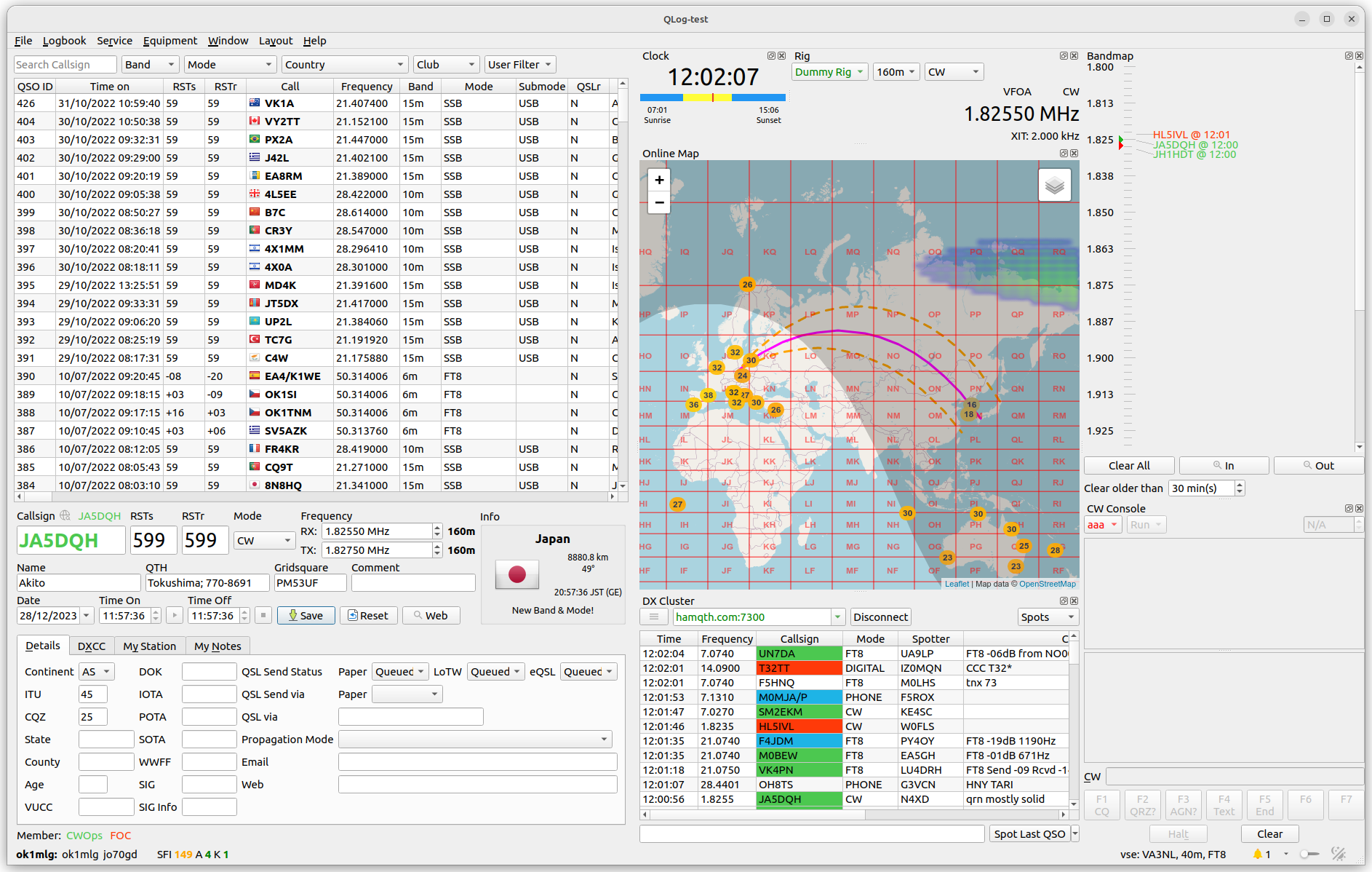
- Customizable layout, station location profiles and QSO filters
- ADIF import and export, station statistics and club member lookup
- Worked and confirmed award tracking, including DXCC, WAS, WAZ, WPX, IOTA, POTA, SOTA and WWFF; see Awards for the full scope
- Basic contest logging with exchange fields, serial numbers, duplicate checks and Cabrillo export; contest scoring and multipliers are not calculated
- Rig control through Hamlib, OmniRig v1 and v2 (Windows only), TCI and FLRig
- Rotator control through Hamlib and PSTRotator
- DX cluster, bandmap, online and offline maps
- WSJT-X and fldigi integration
- CW console and keying through CWDaemon, fldigi, Morse over CAT and WinKey v1/v2 compatible hardware
Device support depends on the selected backend. Configuration details are documented under Rig, Rotator and CW Console.
- HamQTH and QRZ.com callbook lookup
- LoTW, eQSL, QRZ.com, Club Log, HRDLog.net, Cloudlog and Wavelog integration
- eQSL image downloads, QSL gallery and QSL card and label printing
- ON4KST chat integration
- Secure storage of service passwords and tokens using the Linux system keyring, Windows Credential Store or macOS Keychain
| Platform | Support |
|---|---|
| Linux | Native packages, Flatpak and AppImage; see installation options below |
| Windows | Windows 10/11, 64-bit |
| macOS | DMG builds are available |
A display resolution of 1920 × 1080 is recommended. Graphics support for OpenGL is required. Radio and accessory control require the appropriate serial, USB or network connection for the selected backend.
Use the Ubuntu PPA or Fedora repository for native installation on those distributions. Flatpak or AppImage are the recommended alternative for other distributions.
Ubuntu — maintainer PPA
Packages for amd64 and arm64 are available from the QLog PPA. Check the PPA for available Ubuntu releases.
sudo add-apt-repository ppa:foldyna/qlog
sudo apt update
sudo apt install qlog
Fedora — distribution repository or GitHub Releases
sudo dnf install qlogAlternatively, install an RPM from GitHub Releases matching your Fedora release and architecture. See the Fedora package page for repository versions.
Flatpak — Flathub
Install QLog from Flathub. With Flathub configured:
flatpak install flathub io.github.foldynl.QLogThe Flatpak package includes TrustedQSL.
Other packages
RPM packages and AppImage builds are available from GitHub Releases. Choose an artifact matching your distribution and architecture. To run an AppImage, make the downloaded file executable and launch it.
Distribution packages are also available for Debian forky and openSUSE Tumbleweed:
| Distribution | Installation |
|---|---|
| Debian forky | sudo apt install qlog |
| openSUSE Tumbleweed | sudo zypper install QLog |
These packages are maintained by their respective distributions. Further packaging options are listed in the wiki and on Repology.
For LoTW uploads, install TrustedQSL separately unless it is included in your package. On Ubuntu and Debian, use sudo apt install trustedqsl; on Fedora, use sudo dnf install trustedqsl.
Download the 64-bit installer from GitHub Releases.
- Install the Microsoft Visual C++ Redistributable for x64.
- Install TrustedQSL if you use LoTW uploads.
- Install OmniRig v1 or v2 only if you select that rig-control backend.
DMG builds are published in aa5sh/QLog Releases. Build and packaging issues for those DMGs should be reported to their maintainer.
The QLog Wiki covers configuration, operating workflows and screenshots. Start with Initial Setup for station and device profiles, or Main Window for the operating interface.
- Issues: bug reports and feature requests. Include the QLog version, OS, package source and steps to reproduce.
- Discussions: operating questions and configuration help.
Support in this repository covers the official QLog application. For installation or packaging problems with distribution or community builds, contact the package maintainer. Forks and modified versions are supported by their own maintainers; reproduce an application issue with an official, unmodified version before reporting it here.
QLog uses C++11, Qt5 or Qt6, and qmake. Dependencies, platform-specific build steps and qmake options are documented in Building QLog. Container builds and installer generation are covered in Packaging.
QLog is licensed under the GNU General Public License, version 3 or later, and is distributed without warranty. Bundled components retain their respective licenses.
Copyright (C) 2020 Thomas Gatzweiler
Copyright (C) 2021–2026 Ladislav Foldyna