

This plugin is meant to simplify a task I've found too common in my workflow: switching between a single-line statement and a multi-line one. It offers the following default keybindings, which can be customized:
gSto split a one-liner into multiple linesgJ(with the cursor on the first line of a block) to join a block into a single-line statement.
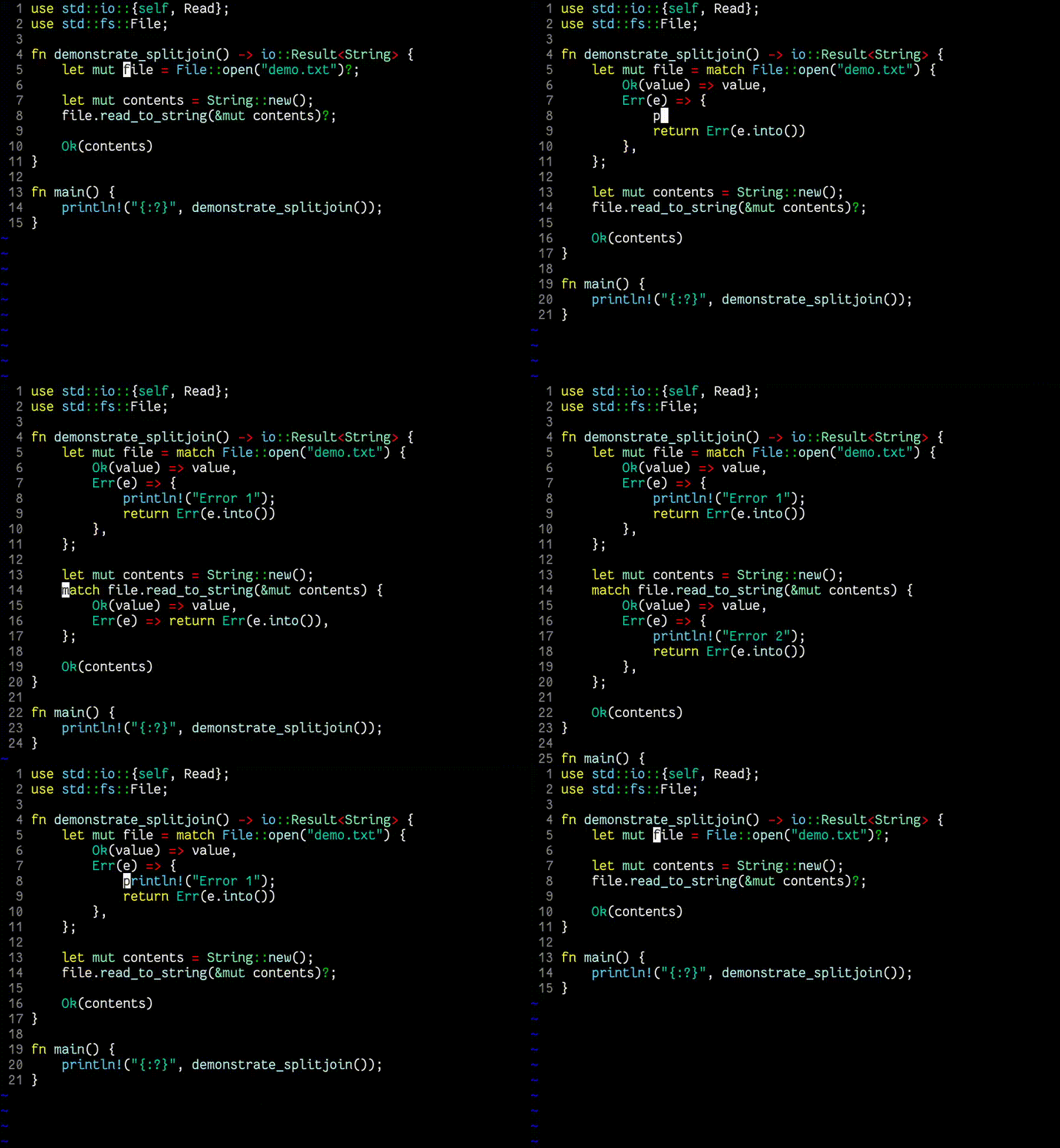
I usually work with ruby and a lot of expressions can be written very concisely on a single line. A good example is the "if" statement:
puts "foo" if bar?This is a great feature of the language, but when you need to add more statements to the body of the "if", you need to rewrite it:
if bar?
  puts "foo"
  puts "baz"
end
The idea of this plugin is to introduce a single key binding (default: gS) for transforming a line like this:
<div id="foo">bar</div>Into this:
<div id="foo">
  bar
</div>
And another binding (default: gJ) for the opposite transformation.
This currently works for various constructs in the following languages:
- C
- CSS
- Clojure
- Coffeescript
- Elixir
- Elm
- Eruby
- Go
- HAML
- Hare
- HTML (and HTML-like markup)
- Handlebars
- JSON
- Java
- Javascript (within JSX, TSX, Vue.js templates as well)
- Lua
- PHP
- Perl
- Python
- R
- Ruby
- Rust
- SCSS and Less
- Shell (sh, bash, zsh)
- Tex
- Vimscript
- YAML
For more information, including examples for all of those languages, try :help splitjoin, or take a look at the full help file online at
doc/splitjoin.txt
The easiest way to install the plugin is with a plugin manager:
- vim-plug: https://github.com/junegunn/vim-plug
- Vundle: https://github.com/VundleVim/Vundle.vim
If you use one, just follow the instructions in its documentation.
You can install the plugin yourself using Vim's "packages" functionality by cloning the project (or adding it as a submodule) under ~/.vim/pack/<any-name>/start/. For example:
git clone https://github.com/AndrewRadev/splitjoin.vim ~/.vim/pack/_/start/splitjoin
This should automatically load the plugin for you on Vim start. Alternatively, you can add it to ~/.vim/pack/<any-name>/opt/ instead and load it in your .vimrc manually with:
packadd splitjoinIf you'd rather not use git, you can download the files from the "releases" tab and unzip them in the relevant directory: https://github.com/AndrewRadev/splitjoin.vim/releases.
Pull requests are welcome, as long as they did not involve LLM usage. Take a look at CONTRIBUTING.md first for some guidelines. Be sure to abide by the CODE_OF_CONDUCT.md as well.
Any issues and suggestions are very welcome on the github bugtracker.